Delete Your bodyfatAI Account
Follow these steps to permanently delete your bodyfatAI account from the mobile app. This action is irreversible and will remove all your data from our systems.
How to Delete Your Account

Open the bodyfatAI mobile app and tap the Settings icon (gear icon) in the top right corner of the screen.
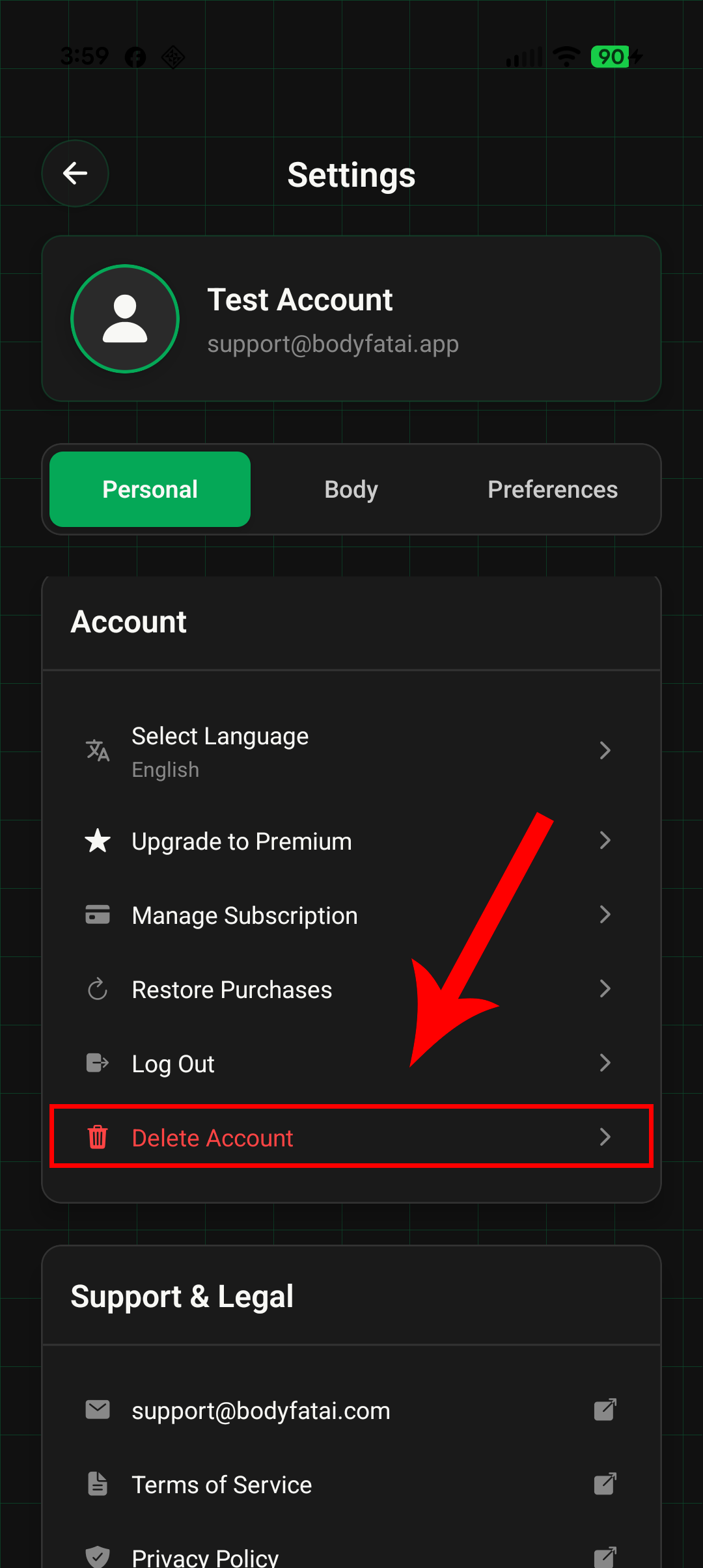
In the Settings menu, scroll down to the Account section and tap "Delete Account" (shown in red at the bottom of the list).
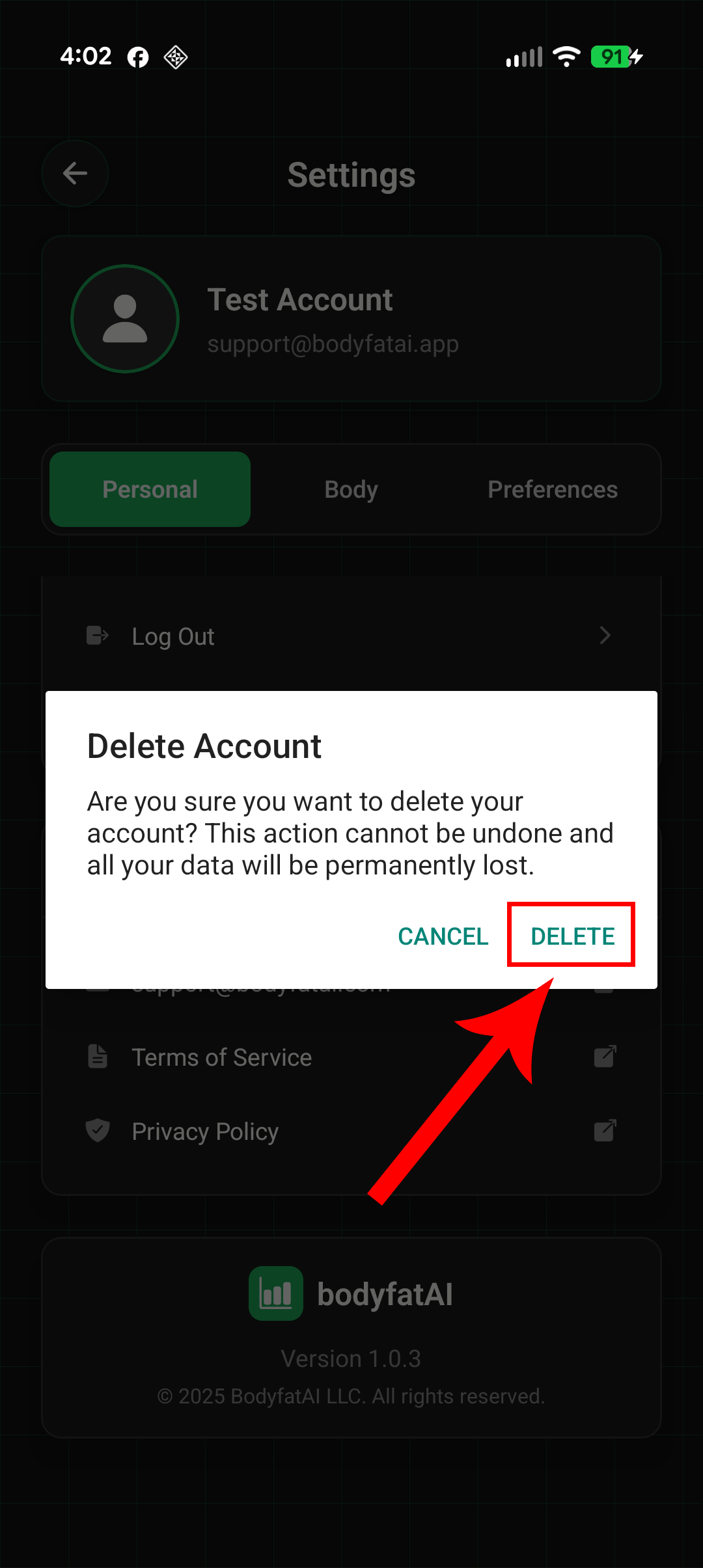
Read the warning message carefully, then tap the "DELETE" button to permanently remove your account. Tap "CANCEL" if you change your mind.
What Data Is Deleted
Immediately and Permanently Deleted:
- Personal profile information (name, email, phone number, date of birth)
- Body measurements (height, weight, goal weight, body fat percentages)
- All scan photos and AI analysis results
- Progress tracking data and historical records
- Account preferences and settings
- Subscription information and status
- Payment transaction history
- Login sessions and authentication tokens
- Push notification preferences and device tokens
- Onboarding information and activity level data
- Referral codes and referral relationships
Data Retention Period:
- All data is deleted immediately and permanently upon account deletion
- No backup copies are retained in our systems
- Data cannot be recovered after deletion
- The deletion process is fully automated and GDPR-compliant
⚠ Important Information
- Account deletion is permanent and irreversible - you cannot undo this action
- Active subscriptions through Apple App Store or Google Play Store will be canceled
- No refunds will be issued for unused subscription time (refund policies are managed by Apple/Google)
- If you create a new account in the future, it will start fresh with no access to previous data
- To cancel a subscription without deleting your account, use "Manage Subscription" in the app settings instead
Managing Active Subscriptions
If you have an active subscription through the Apple App Store or Google Play Store, deleting your account will cancel it, but you may need to manage the subscription separately to prevent future charges:
For Apple App Store (iOS):
- Open Settings app on your iPhone
- Tap your name at the top
- Tap "Subscriptions"
- Select bodyfatAI and tap "Cancel Subscription"
For Google Play Store (Android):
- Open Google Play Store app
- Tap Menu → Subscriptions
- Select bodyfatAI
- Tap "Cancel Subscription"
Need Help?
If you have questions about account deletion or need assistance, please contact our support team:
For more information about how we handle your data, please review our Privacy Policy and Terms of Service.