Delete Your bodyfatAI Account
Follow these steps to permanently delete your bodyfatAI account from the mobile app. This action is irreversible and removes your account and personal data from active use.
How to Delete Your Account

Open the bodyfatAI mobile app and tap the Settings icon (gear icon) in the top right corner of the screen.
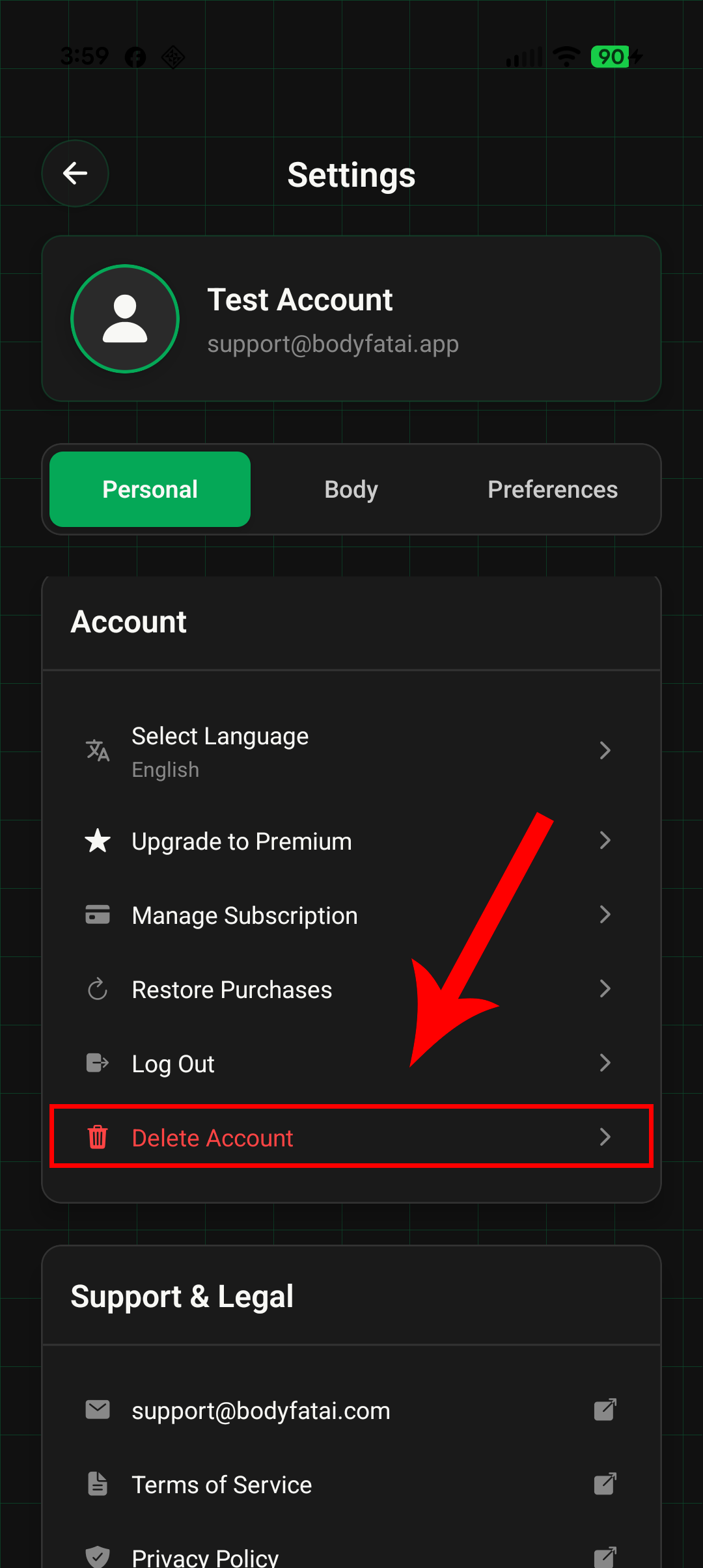
In the Settings menu, scroll down to the Account section and tap "Delete Account" (shown in red at the bottom of the list).
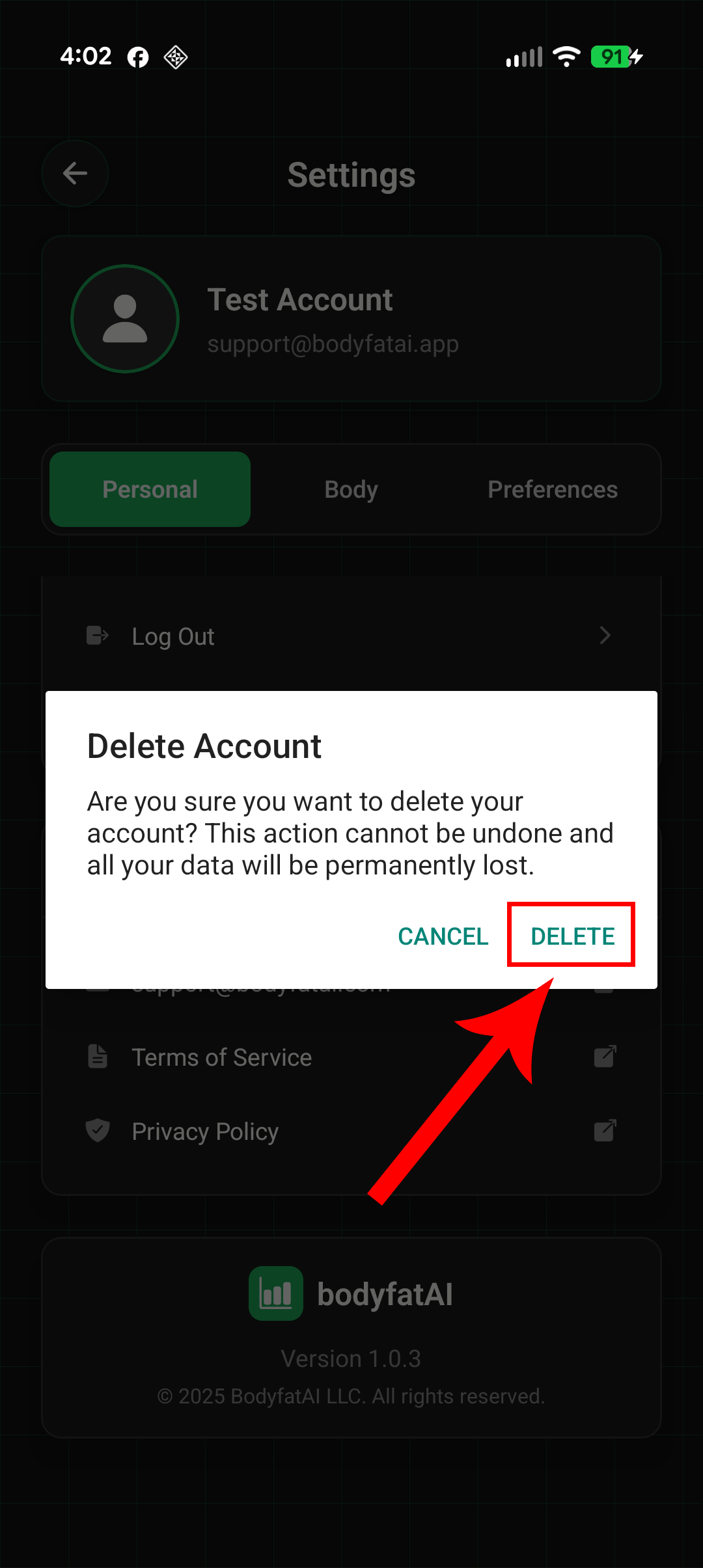
Read the warning message carefully, then tap the "DELETE" button to permanently remove your account. Tap "CANCEL" if you change your mind.
What Happens When You Delete Your Account
Account deletion is permanent and irreversible. When you confirm deletion, bodyfatAI immediately removes your account from active use and erases personal account data from active account systems.
Erased Immediately from Active Account Systems:
- Personal profile information (name, email, phone number, date of birth)
- Body measurements (height, weight, goal weight, body fat percentages)
- Progress tracking data and historical records
- Account preferences and settings
- Login sessions and authentication tokens
- Push notification preferences and device tokens
- Onboarding information and activity level data
- Referral codes and referral relationships
Scan Photos and Scan Records:
- Soft deleted immediately and removed from active use
- No longer visible in your account and not used for analysis or progress tracking
- May remain temporarily in backup, archival, or operational systems until our deletion cycle is complete
Transaction Records:
- We may retain anonymized or de-identified transaction records for accounting, tax, subscription auditing, fraud prevention, and business analytics
- These records are not linked to your account, scan photos, body measurements, or scan results
Leaderboard Entries and Verified Photos:
- If you have an active leaderboard entry, it is automatically removed from the public leaderboard
- Your leaderboard listing is no longer visible to other users
- Your verified scan photo used for the leaderboard is deleted per the account deletion process (soft-deleted immediately, permanently purged within 30 days unless longer retention is required for legal/security reasons)
- Cached or archived copies of your leaderboard listing may persist on external systems beyond bodyfatAI's control
- All leaderboard data is irreversibly removed when your account is deleted
Data Retention Period:
- Most account data is removed from active systems immediately
- Soft-deleted scans and limited operational records are permanently deleted or de-identified within 30 days, unless a longer period is required or permitted for legal, security, fraud-prevention, or abuse-prevention reasons
- Data cannot be recovered once deletion is confirmed
⚠ Important Information
- Account deletion is permanent and irreversible - you cannot undo this action
- Deleting your account does not automatically cancel an active subscription through the Apple App Store or Google Play Store - you must cancel it separately (see below) to prevent future charges
- No refunds will be issued for unused subscription time (refund policies are managed by Apple/Google)
- If you create a new account in the future, it will start fresh with no access to previous data
- To cancel a subscription without deleting your account, use "Manage Subscription" in the app settings instead
Managing Active Subscriptions
Deleting your bodyfatAI account does not automatically cancel a subscription managed by the Apple App Store or Google Play Store. To prevent future charges, cancel your subscription directly through your Apple App Store or Google Play account settings:
For Apple App Store (iOS):
- Open Settings app on your iPhone
- Tap your name at the top
- Tap "Subscriptions"
- Select bodyfatAI and tap "Cancel Subscription"
For Google Play Store (Android):
- Open Google Play Store app
- Tap Menu → Subscriptions
- Select bodyfatAI
- Tap "Cancel Subscription"
Need Help?
If you have questions about account deletion or need assistance, please contact our support team:
For more information about how we handle your data, please review our Privacy Policy and Terms of Service.